
Documentation
RustMinerSystem RMS Client Configuration
Maintain RMS local client push addresses, port mapping, encryption password, custom forwarding addresses, and client display information in RustMinerSystem.
RMS Client Configuration
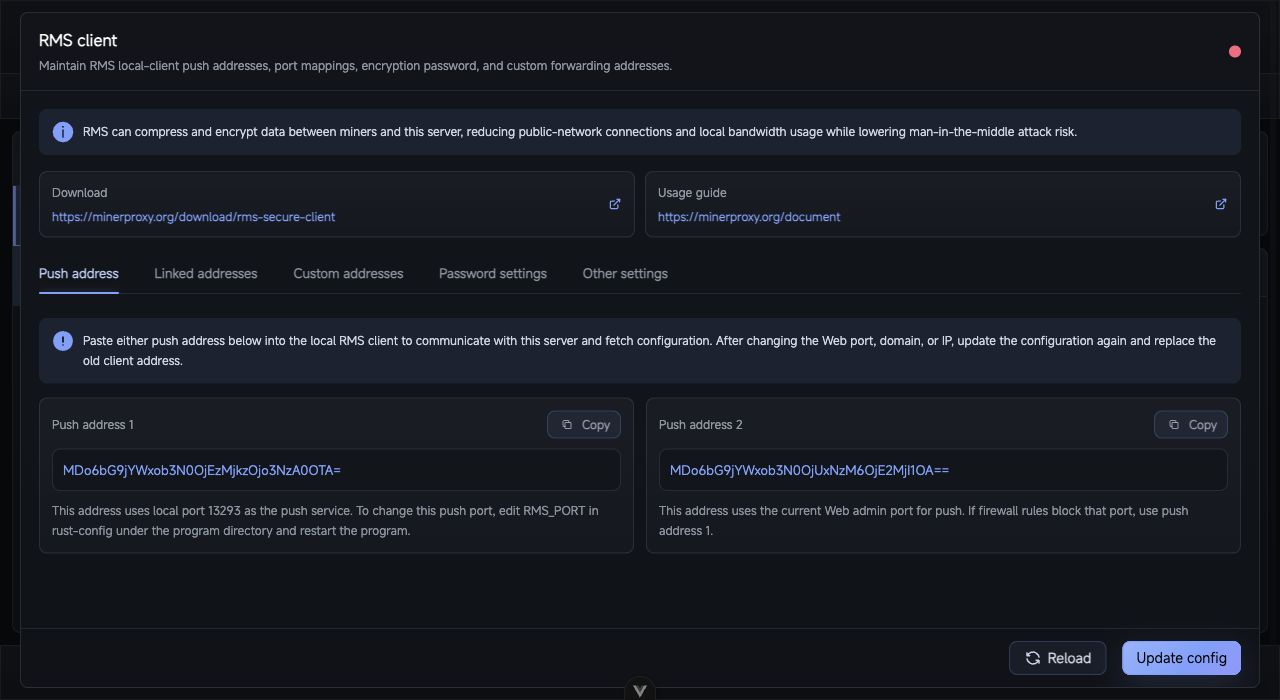
RMS Client: copy push addresses and synchronize local client port mappings, encryption password, and custom forwarding addresses.
The RMS menu manages how RMS local clients connect to this RustMinerSystem server. RMS compresses and encrypts miner-to-server traffic, reducing public connections and local bandwidth usage.
For deployment and capacity planning, read the RMS documentation.
Push Address
Copy a push address into the RMS local client so it can communicate with this server and fetch configuration. If the web port, domain, IP, HTTPS state, or safe route changes, replace the old push address in the client.
Linked Addresses
Linked addresses map server RMS protocol ports to local RMS client ports.
| Mode | Description |
|---|---|
| Default | The client opens the same local port as the server RMS port. |
| Custom | You can change the local listening port opened by the RMS client. |
If the list is empty, create an RMS2, RMS3, or RMS3(Zstd) proxy port first.
Custom Addresses
Custom addresses define additional local listeners and remote RMS peers. Each entry includes local port, coin, remark, super compression, compression level, and one or more remote addresses with protocol, host, port, and password.
Password and Display Info
The client password protects config sync and manual port connections. Public deployments should set one and keep manual client ports in sync.
The display section controls client-side software name, notice, and extra notes, useful for custom-branded deployments.
After saving, update the RMS local client, connect a few miners, and verify devices, hashrate, and connection logs in RustMinerSystem.