
Documentation
RustMinerSystem Log Manager and Troubleshooting
Use RustMinerSystem logs to inspect runtime output, errors, operations, connection trouble, wallet firewall records, IP access, and release logs.
Log Manager and Troubleshooting
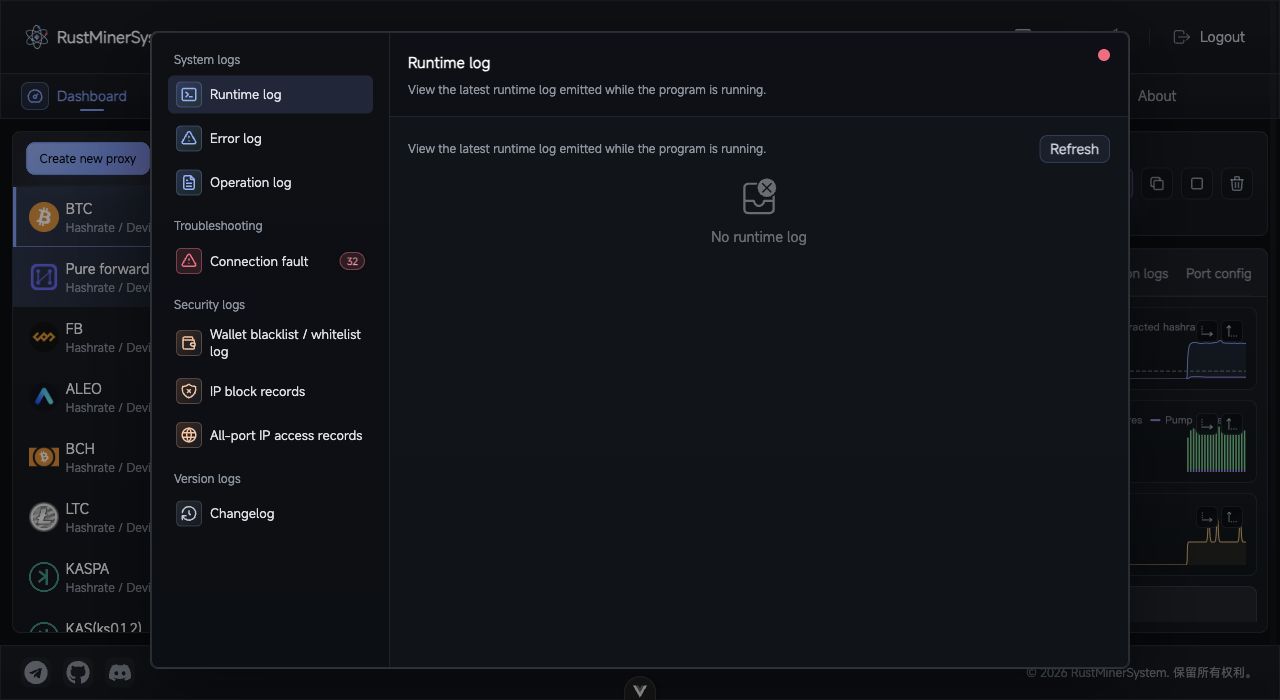
Log Manager: browse system logs, troubleshooting entries, security logs, and version logs from one dialog.
Open Log Manager from the top menu. A red badge appears when connection trouble records exist.
Log Types
| Group | Log | Use |
|---|---|---|
| System | Running log | Latest runtime output. |
| System | Error log | Runtime errors. |
| System | Operation log | Recent backend operations and results. |
| Troubleshooting | Connection trouble | Connection failure diagnostics. |
| Security | Wallet blacklist / whitelist log | Wallet firewall blocks. |
| Security | IP block log | IP blacklist blocks. |
| Security | All port IP access | IPs that accessed proxy ports and their latest time. |
| Release | Version log | Local version, latest version, and changelog. |
Troubleshooting Flow
For miner connection issues:
- Open port detail and check TCP monitor.
- If no IP appears, check miner URL, firewall, security group, and listening port.
- If IP appears but no hashrate, review connection logs and connection trouble logs.
- Confirm pool endpoint and protocol.
- Check wallet blacklist, wallet whitelist, and IP blacklist records.
- Compare with upstream pool worker data.
For port errors, review the port row status, error log, running log, and effective port configuration.
When reporting an issue, include version, local UUID, port, coin, protocol, pool, wallet, worker name, miner IP, approximate time, and relevant log snippets.