
Documentation
RustMinerSystem Port List and Batch Operations
Use the RustMinerSystem port list to sort, refresh, inspect, start, stop, clone, delete, and batch-manage proxy ports.
Port List and Batch Operations
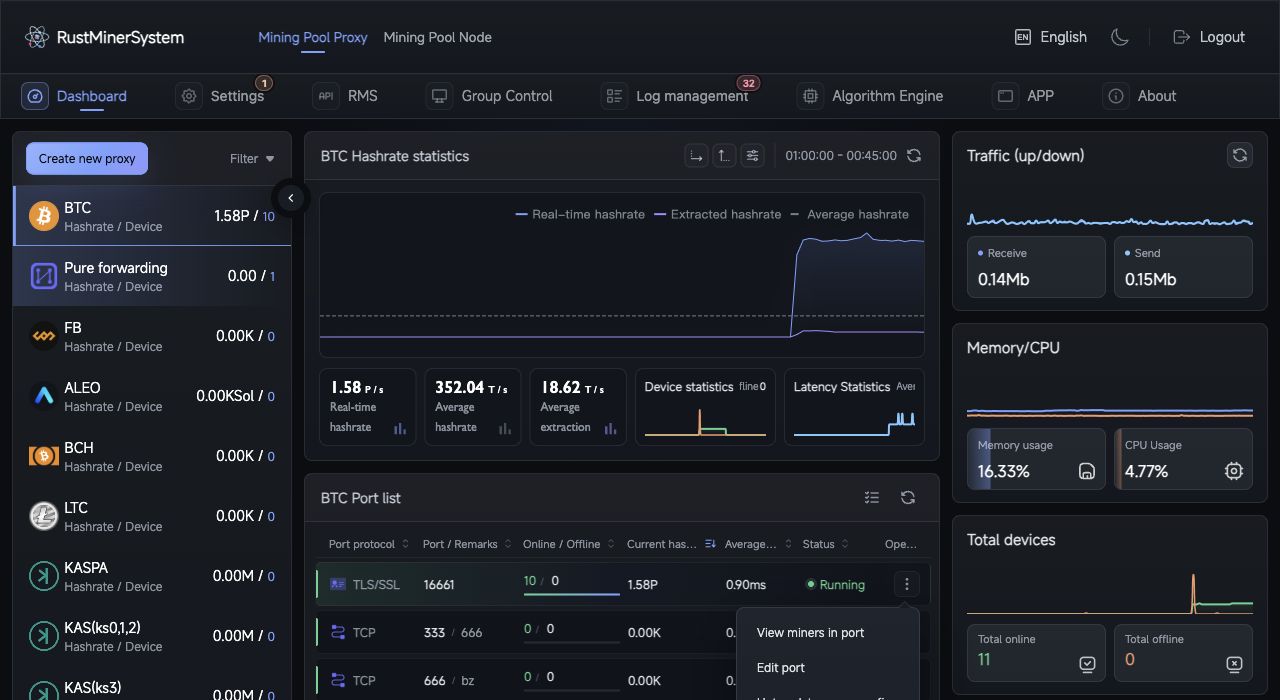
Port list: review protocol, port, online devices, hashrate, latency, status, and the action menu in one monitoring row.
The port list manages proxy ports for the currently selected coin. From the row menu you can inspect, edit, hot-update, clone, start, stop, or delete a port.
Row Actions
| Action | Description |
|---|---|
| View workers | Open the port detail page. |
| Edit port | Change full configuration; running ports restart after saving. |
| Hot update fee config | Change fee wallets without disconnecting miners. |
| Clone port | Create a new port from this configuration. |
| Start / Stop port | Toggle the listening service. |
| Delete port | Remove the port and related wallet configuration. |
Export a backup before deleting production ports.
Batch Operations
- Select a coin.
- Click the batch operation icon in the port list header.
- Search by port, remark, or status.
- Select ports or choose
Select current filter. - Run
Start selected,Stop selected, orDelete selected. - Review the success and failure result.
Batch operations only affect ports under the current coin. Delete operations require confirmation.
Recommended Workflow
- Start stopped ports in smaller batches and watch status move to
Running. - Stop unused ports before deleting them.
- Export configuration before large changes.
- If failures mention conflicts, permissions, or invalid parameters, inspect that port individually.