
Documentation
RustMinerSystem Dashboard and Coin List
Use the RustMinerSystem proxy dashboard to inspect coins, ports, hashrate, latency, system resources, and version information.
Dashboard and Coin List
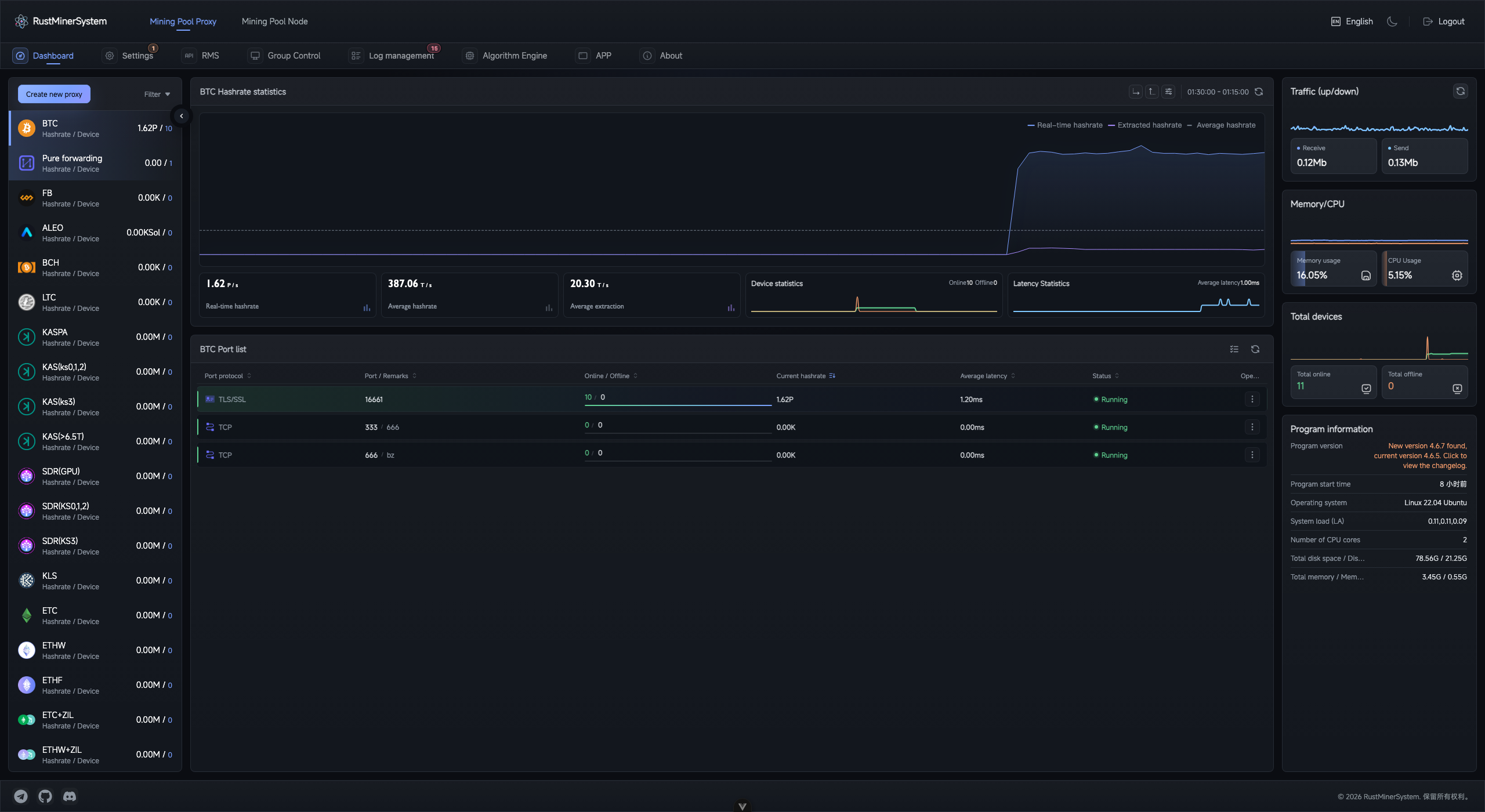
Dashboard overview: switch coins on the left, inspect hashrate and ports in the center, and monitor traffic, resources, and program information on the right.
The dashboard is the default workspace under Mining Proxy. It brings together coin status, proxy ports, miners, hashrate, latency, server resources, and version data so operators can quickly understand whether the proxy service is healthy.
Main Areas
| Area | Purpose |
|---|---|
| Coin list | Switch between coins and view each coin’s hashrate and online device count. |
| Hashrate charts | Inspect real-time, average, and fee hashrate trends. |
| Device charts | Inspect online, offline, and online-rate changes. |
| Latency charts | Watch current coin and port latency. |
| Port list | Manage proxy ports for the selected coin. |
| System resources | Review CPU, memory, traffic, device totals, version, uptime, and OS information. |
Switch Coins
- Open
Mining Proxy. - Select a coin in the left coin list.
- The charts and port list switch to that coin.
- Use
Filterto hide inactive coins or coins without proxy ports. - Collapse the coin rail on wide screens when you need more room for charts and port rows.
Read Port Status
| Status | Meaning | Action |
|---|---|---|
| Running | The port is listening and processing connections. | Normal monitoring. |
| Starting | Start was submitted and the port is initializing. | Wait, then refresh. |
| Stopped | The port is not listening. | Start it if miners should connect. |
| Error | The backend returned an error for the port. | Check configuration, logs, and port conflicts. |
Daily Check
- Check CPU, memory, traffic, and uptime.
- Confirm main coins show expected hashrate and online devices.
- Open the key coin and inspect port status, online/offline counts, latency, and hashrate.
- If a port loses devices, open its detail page for workers, TCP connections, and logs.
- If many ports fail at once, open
Log Managerand review running, error, and connection trouble logs.
Notes
TPtransparent ports do not parse mining data, so full hashrate, wallet, and fee statistics are not available.- Pool-side hashrate may differ because of pool windows, share difficulty, rejects, and pool calculation periods.
- High latency can originate from miners, the RustMinerSystem server, upstream pools, or the network path between them.