
Documentation
RustMinerSystem Remote Fleet Control
Add remote RustMinerSystem clients and monitor multiple instances from one fleet-control page.
Remote Fleet Control
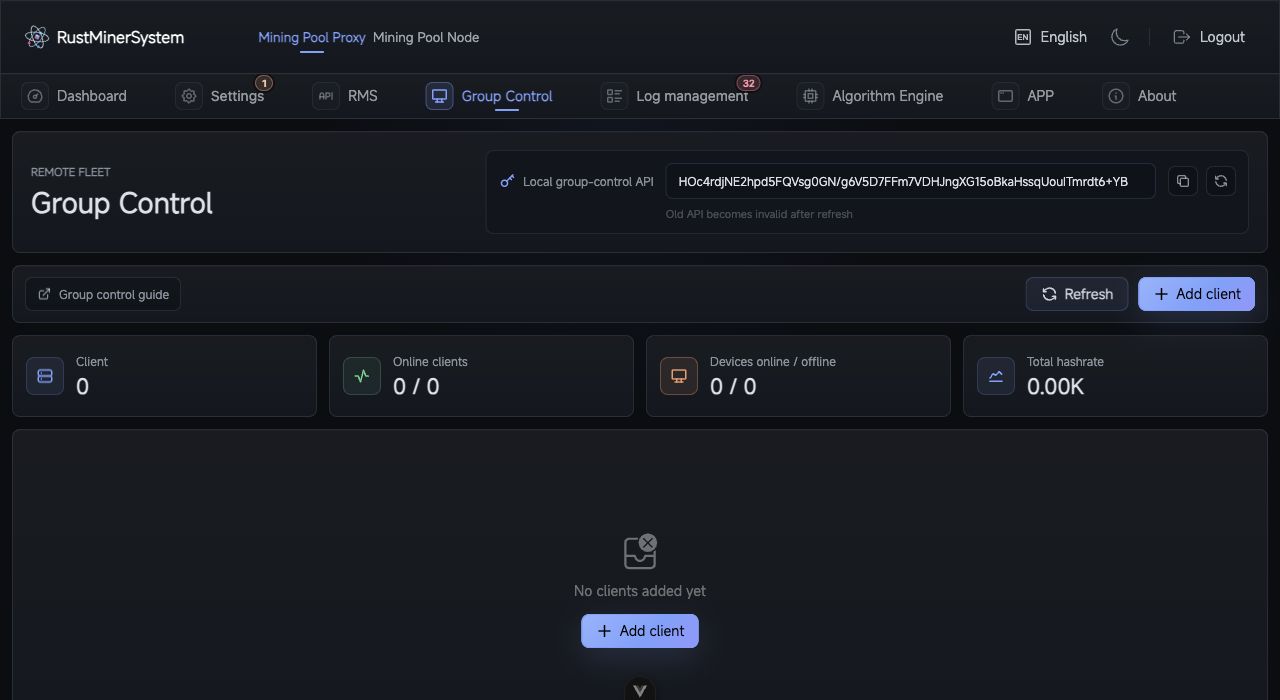
Remote Fleet: maintain the local fleet API and monitor remote clients, online devices, and aggregate hashrate.
Remote Control centralizes multiple RustMinerSystem instances on one page. It is useful for operating several proxy servers, mining sites, or customer environments.
Local Control API
The page shows the current instance’s control API. Treat it as a secret. Refreshing the API invalidates the old one and requires updating any manager that uses it.
Add a Client
- Open
Mining Proxy->Remote Control. - Click
Add Client. - Enter a remark, access endpoint, and the remote instance’s control API.
- Save.
- The page synchronizes ports, hashrate, devices, resources, version, and uptime.
Client Card
Each card shows status, version, runtime, online/offline devices, selected-coin hashrate, CPU/memory, traffic, and compact charts. You can choose separate coins for hashrate and device charts.
Actions
| Action | Description |
|---|---|
| Refresh client | Re-sync data. |
| Quick view | Open the remote backend in an iframe dialog. |
| Remote access | Open the remote backend in a new window. |
| Edit client | Change remark, endpoint, or API. |
| Delete client | Remove it from the fleet page. |
If a client is partial or offline, check endpoint reachability, protocol, firewall, safe route, and whether the manager is allowed by the remote access policy.